How to Book a China High-Speed Rail Ticket on 12306
A step-by-step guide to booking China high-speed rail tickets on 12306 — for international travellers without a Chinese phone number.
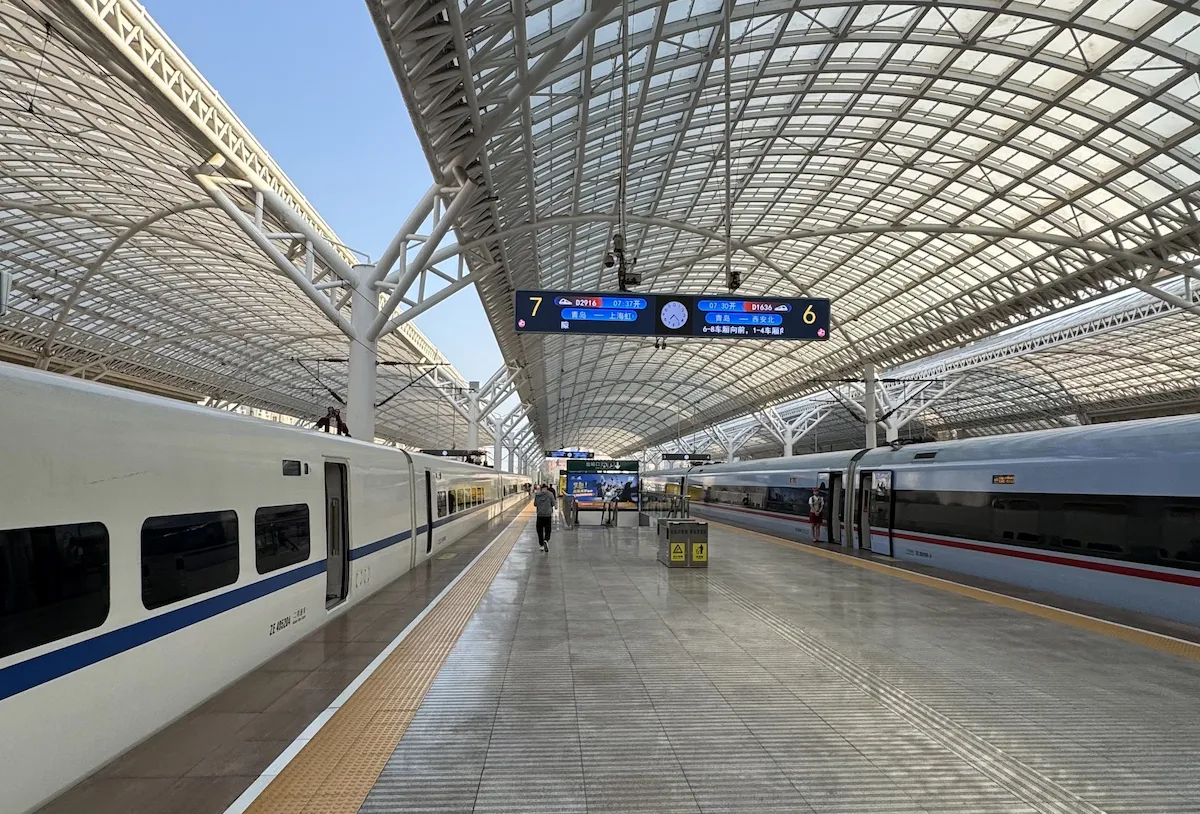
High-speed rail in China is genuinely impressive — punctual, fast, and affordable. The official booking platform 12306 has an English version that works for international travellers. It takes a little patience the first time, but you’ll get the hang of it quickly.
Not ready to deal with the app? Klook and Trip.com are solid alternatives with full English interfaces. Slightly pricier, but totally hassle-free.
Before You Start
You do not need a Chinese phone number to register. Your email is enough — Gmail works best.
Only tickets for the next 15 days are available for booking, down to 30 minutes before departure.
Train Types in China
| Type | Category | Speed | Best For |
|---|---|---|---|
| 🚄 G-train | High-speed | Up to 350 km/h | Intercity, long distance |
| 🚄 D-train | High-speed | Up to 250 km/h | Mid-distance |
| 🚄 C-train | Intercity | Up to 200 km/h | Short city hops |
| 🚂 Z / T / K | Conventional | Slower | Remote areas, budget |
Step-by-Step: Booking on 12306
01 · Create Your Account
Go to 12306.cn or download the 12306 app (available on App Store and Google Play). Register with your email address.
Check your spam folder — the verification email almost always ends up there.
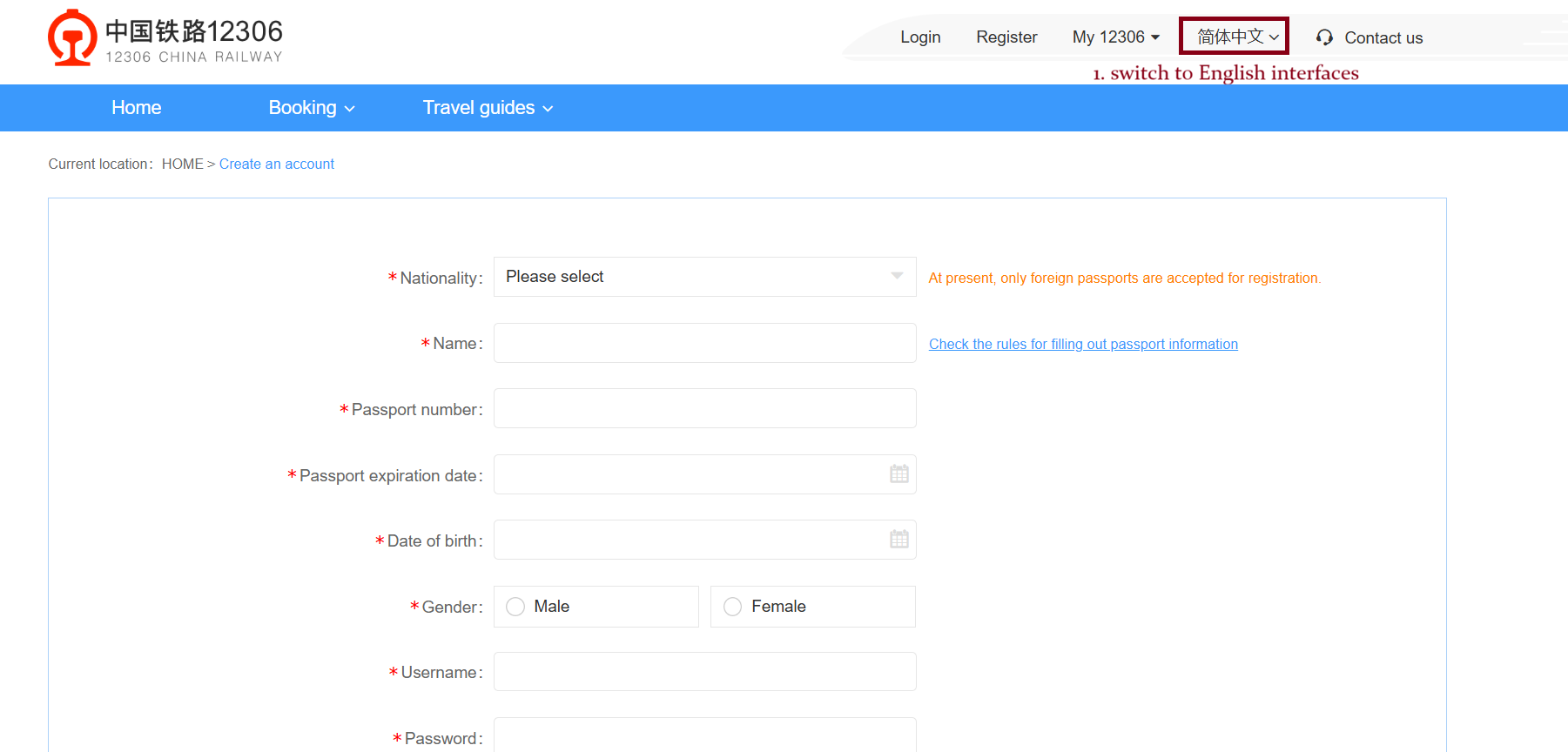 Registration page — choose email sign-up
02 · Verify Your Identity
Choose “Foreign Passport” as your ID type, upload your passport data page, then take a selfie holding your passport. The app reads and auto-fills your details — just review them carefully before confirming.
The ID verification is actually quite smooth. Camera translator helps a lot if you get stuck on any Chinese labels.
03 · Add Your Passengers
Once verified, go to My → My Passenger and save your details. You can add up to 15 passengers per account. All passengers must complete real-name verification before they can book.
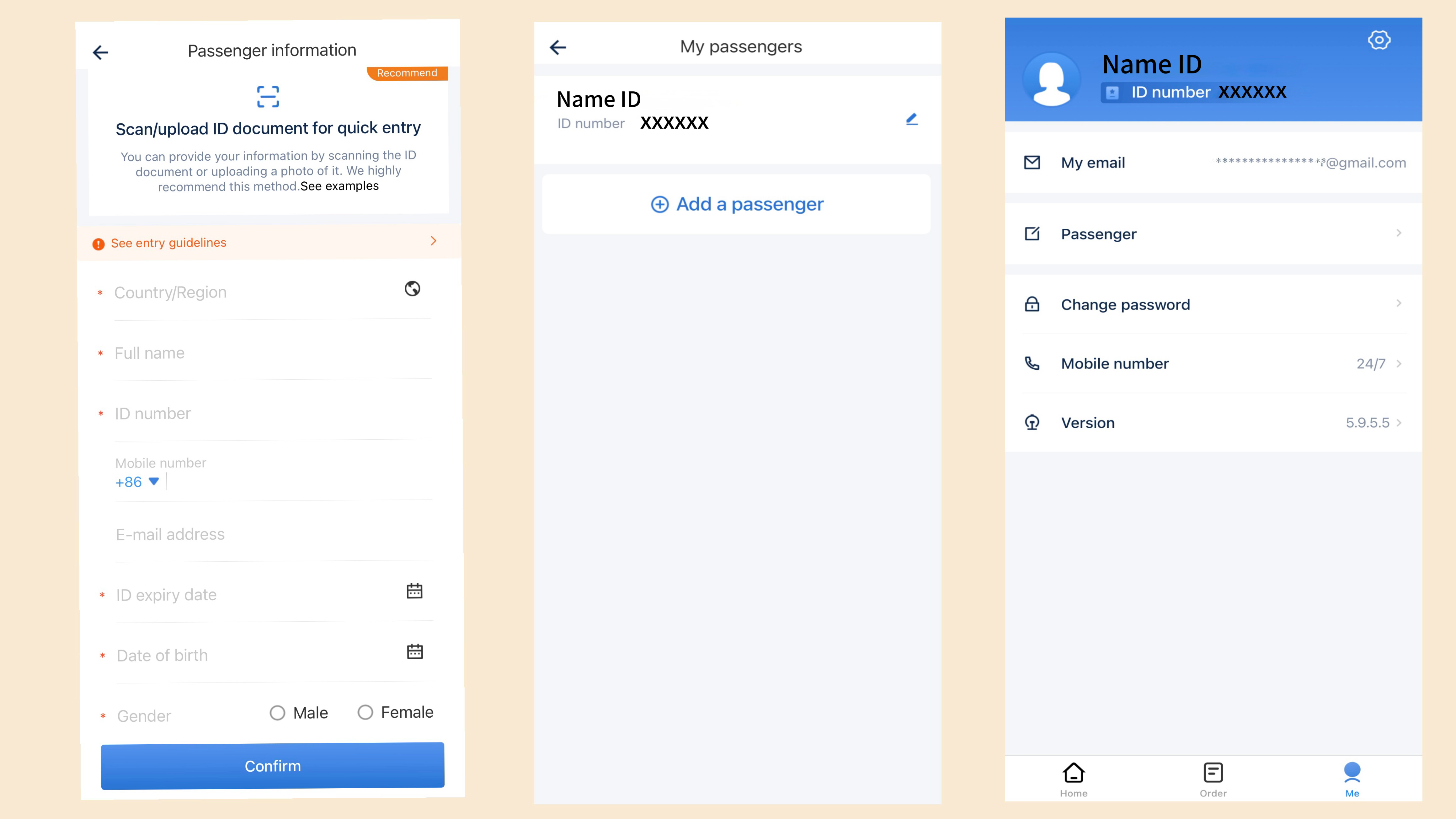 Add passenger details here
04 · Search for Your Train
Enter your origin, destination, and travel date, then tap Search.
Tricky part: Multiple stations in one city can share the same pinyin name. To avoid confusion, find the Chinese characters (汉字) of your exact station and paste them into the search bar. Cross-check the train number and duration on Trip.com if unsure.
Station tip: Many cities have multiple stations — North / South / East / West. Always pick the one closest to your hotel or the city’s main hub. Choosing a smaller station can easily add 30+ minutes to your journey.
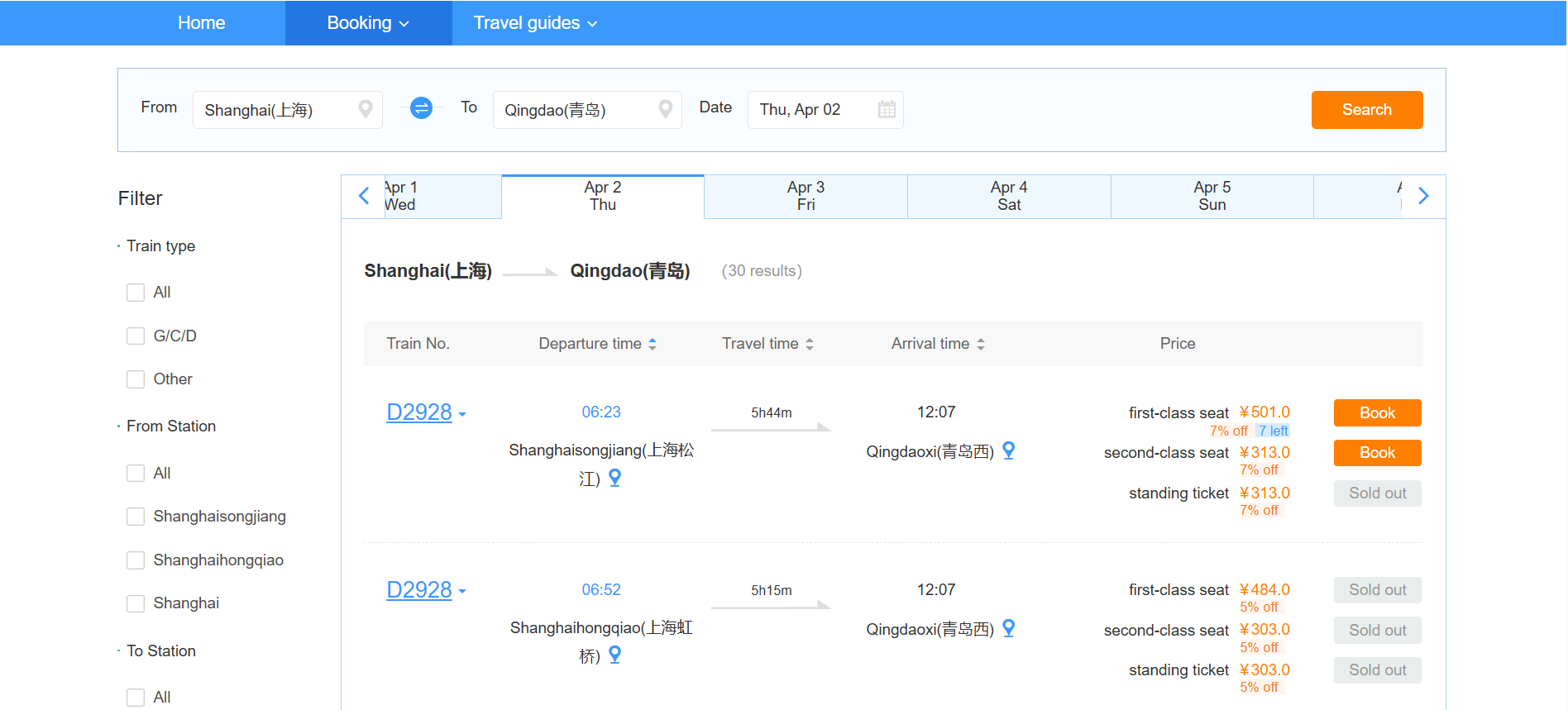 Train results show number, duration, departure/arrival time, and remaining seats
05 · Select Seats & Confirm
Tap your preferred train → Book → select your passengers. Note that seats are assigned randomly by the system.
| Rule | Detail |
|---|---|
| Max tickets per order | 5 single / 5 return |
| One ticket per passenger | Per train, per day |
| Seat assignment | Random — cannot choose |
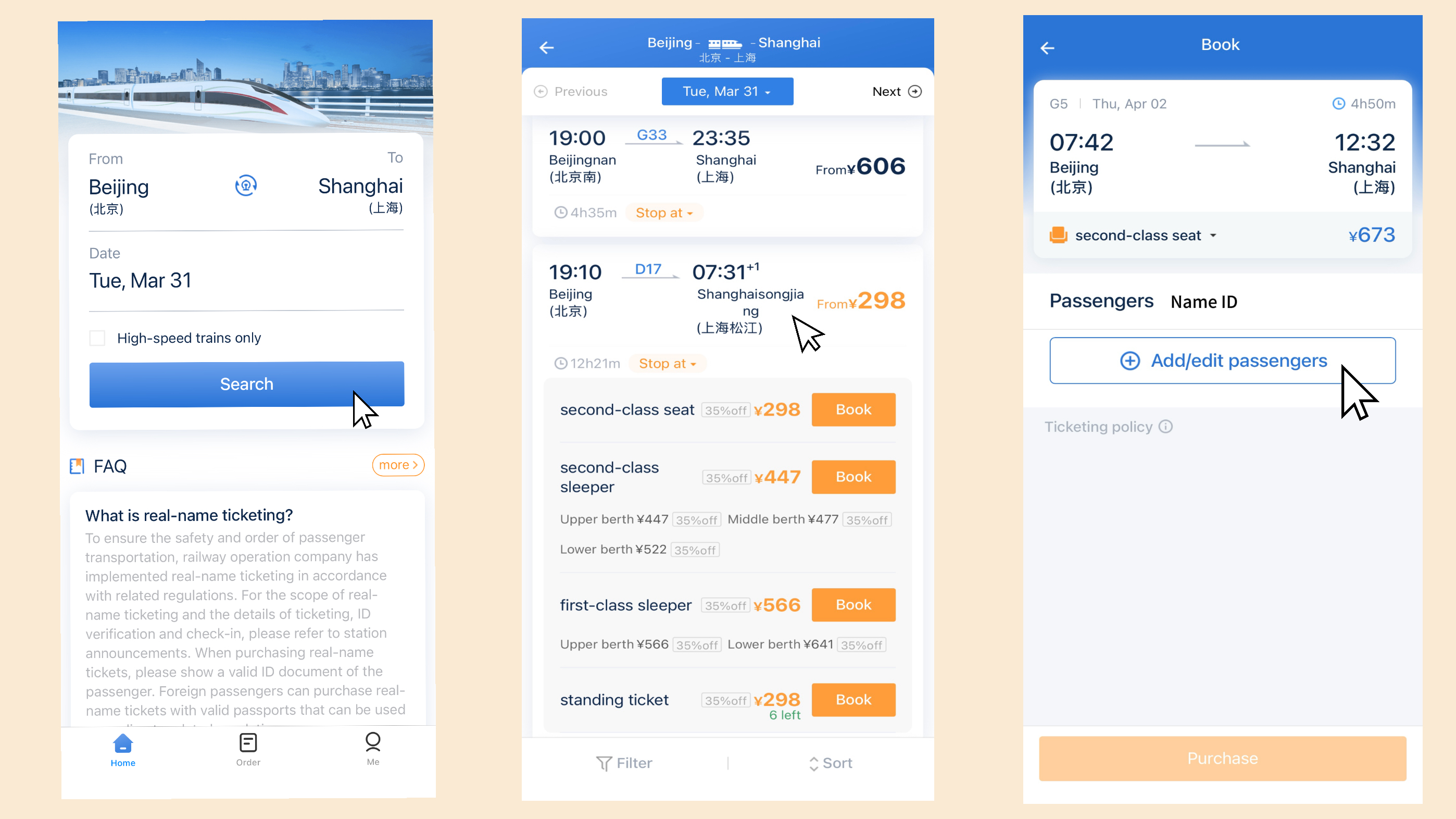 Train results show number, duration, departure/arrival time, and remaining seats (ticket purchase process through a mobile app)
Avoid the standing ticket (无座) unless you genuinely want to stand for hours. Trust me on this one.
06 · Pay
Select “International Card” or China UnionPay as your payment method. Alipay/Wechatpay works too if you’ve set it up.
All tickets are sold in RMB (¥) only on 12306. International card refunds may take up to 4 days to process.
Foreign cards (Mastercard, Wise debit) work on Alipay. However, payments above RMB 200 may incur a 3% transaction fee. For large bills, consider splitting payments or using cash.
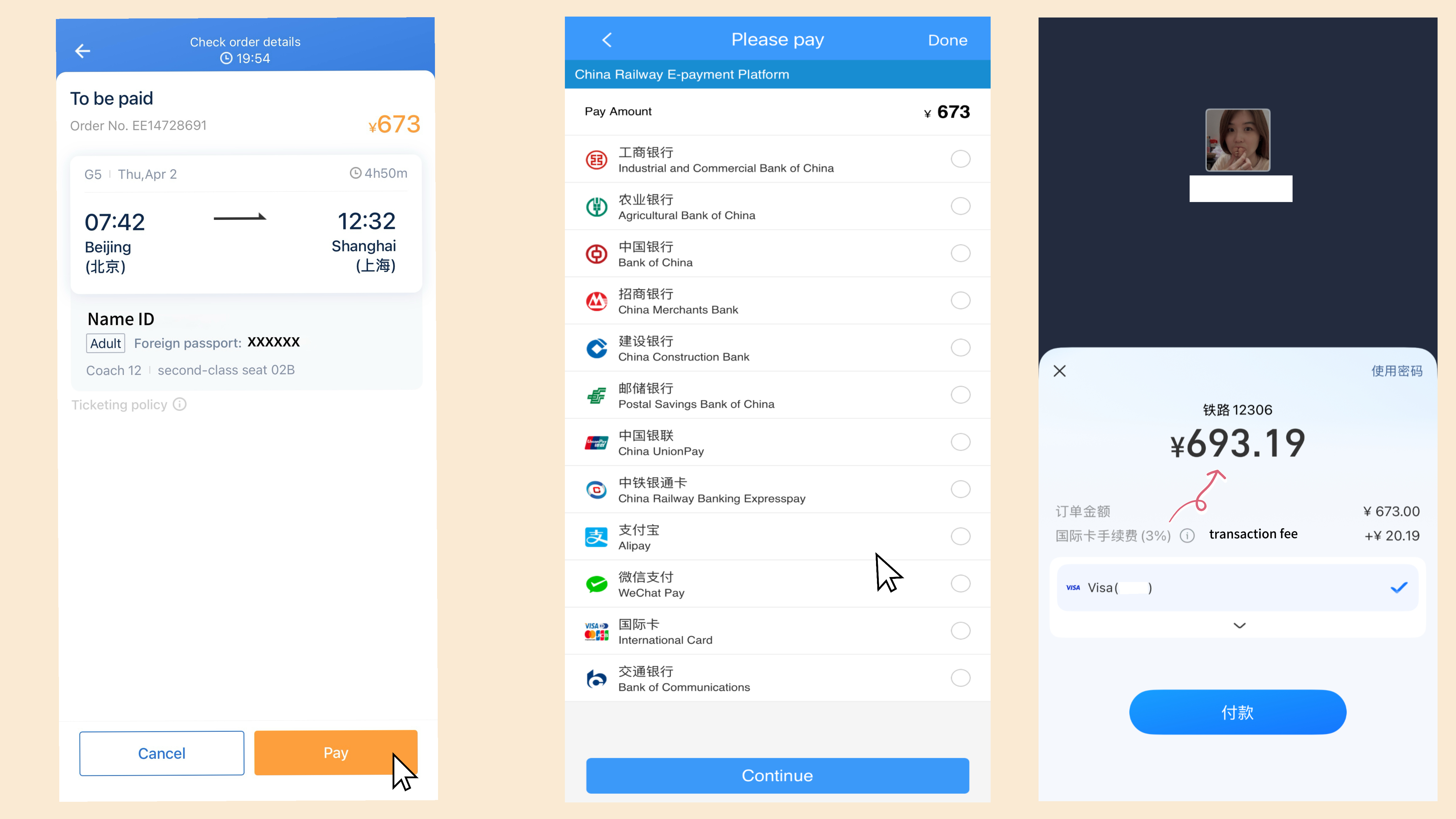 Payment page — select International Card or Alipay
After payment, a confirmation email will be sent to your registered email. You can also view your order under “Order” in the app.
Quick Reference
| Details | |
|---|---|
| 📱 App | Search “12306” on App Store / Google Play |
| 🌐 Website | 12306.cn (has English version) |
| 🕐 Service hours | 5:00 AM – 1:00 AM daily |
| 🗓️ Advance booking | Up to 15 days before departure |
| ⏱️ Booking cut-off | 30 min before departure |
| 🔧 Maintenance | Mon & Wed 1–5 AM · Tue 11:30 PM–5 AM (China Time) |
| 💳 Payment | International card, UnionPay, Alipay |
| 📄 Documents | Foreign passport / HK-Macau-Taiwan: Mainland Travel Permit |
FAQs
Can I buy tickets at the station on the day? Yes, but it’s risky during peak season — trains sell out fast. If you do, have your train number, date, and station name written down. English is rarely spoken at ticket counters.
When can I confirm my booking? 12306 releases tickets 15 days before departure, so that’s the earliest you can confirm. Occasionally, some trains release tickets later — 3 to 5 days before departure.
How do I cancel a ticket? Go to My → Order in the app and submit a cancellation request. Refund timing depends on how far in advance you cancel — check the T&Cs before proceeding.
The second time you use 12306, it genuinely feels easy. But if you’d rather skip the setup entirely — Trip.com is always there. 🚄